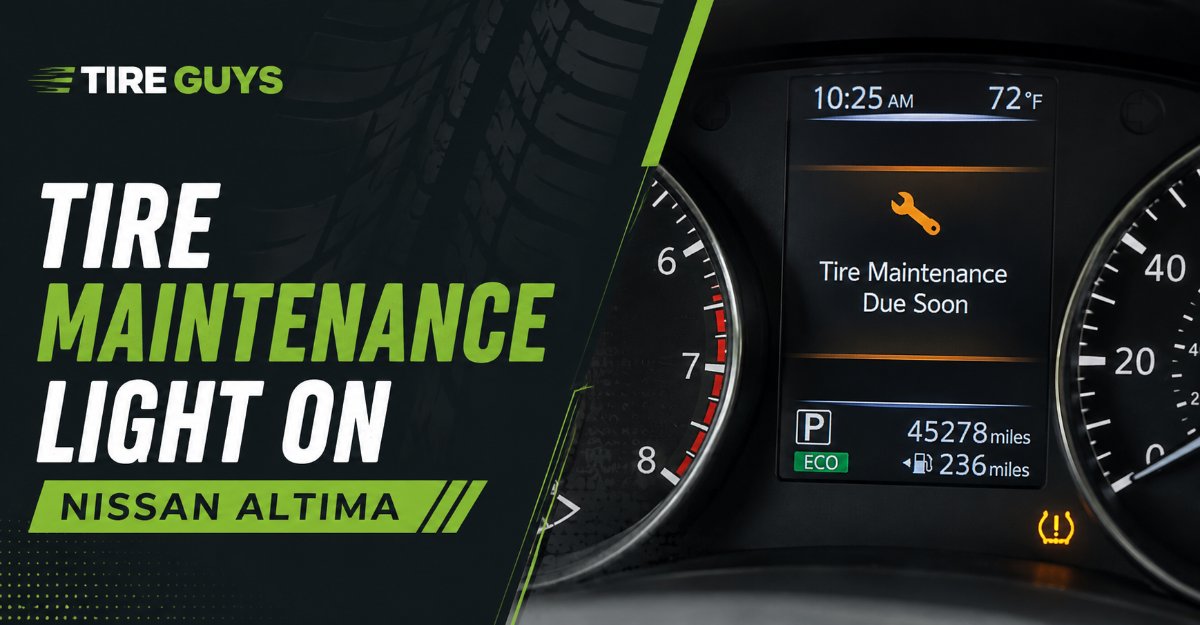
The tire maintenance light on Nissan Altima models is a customizable dashboard timer that alerts drivers when their tires require scheduled physical rotation or inspection. Unlike the critical tire pressure monitoring system that actively detects dangerous air loss, this maintenance alert relies entirely on a user-defined mileage countdown stored in the vehicle’s computer. You must manually configure and reset this feature using your dashboard controls after completing physical tire service.
Key Facts at a Glance
- Trigger Mechanism: A digital odometer countdown ranging from 500 to 18,500 miles.
- Primary Function: Prompts the driver to perform routine tire rotations to prevent uneven tread wear.
- Visual Indicator: A text-based prompt reading “Maintenance: Tire” on the Advanced Drive-Assist Display.
- Safety Level: Low urgency convenience feature, completely unrelated to active tire pressure (PSI) levels.
- Reset Time: Under two minutes using the factory steering wheel buttons or dashboard stem.
Understanding the Tire Maintenance Light
The Nissan Altima tire maintenance reminder functions as a digital notepad stored within the Engine Control Unit (ECU). The system monitors the total distance driven since the last reset and compares it against a threshold you have manually programmed. Once the odometer matches that threshold, the screen generates a text alert.
Because the system uses simple arithmetic rather than physical wheel sensors, it has no actual awareness of your tire condition. Adding air to your tires will never turn this specific alert off. The vehicle assumes that when the light appears, you will take the car to a shop, rotate the tires, and manually restart the countdown clock for the next service cycle.
Tire Maintenance Light vs. TPMS System
Understanding the difference between the two tire-related alerts on your dashboard prevents unnecessary trips to the mechanic. The maintenance light manages longevity, while the TPMS manages immediate safety.
| Feature / Detail | Tire Maintenance Light | TPMS Warning Light |
| Visual Icon | Text prompt reading “Maintenance: Tire” | Yellow horseshoe icon with an exclamation point |
| Trigger Mechanism | User-defined mileage countdown timer | Real-time pressure drop below 28 to 32 PSI |
| Urgency | Low (Convenience and longevity reminder) | High (Immediate safety and handling hazard) |
| Automatic Reset | No. Requires manual menu navigation | Yes. Turns off automatically after filling tires |
| Hardware Used | Engine Control Unit (ECU) odometer data | Radio frequency pressure sensors inside wheels |
| Key Function | Prevents uneven tread wear via rotations | Prevents blowouts and improves fuel economy |
How Do I Reset the Tire Maintenance Light?
Resetting the tire maintenance light on a Nissan Altima requires navigating the digital dashboard menu to clear the old data and set a new countdown interval. This process requires zero tools, takes less than two minutes, carries no mechanical difficulty, and succeeds as long as you have the vehicle in the correct ignition state.
Before You Start
- Time Required: 1 to 2 minutes.
- Difficulty: Beginner.
- Cost: $0.
- Prerequisites: Ensure you are parked in a safe location. The Nissan safety lockout prevents menu navigation while the vehicle is moving or while the engine is running.
Step 1: Turn the Ignition On
Press the Start/Stop button two times without pressing the brake pedal. This places the vehicle in the “ON” mode, powering up all dashboard electronics without starting the internal combustion engine. If you start the engine, the settings menu will remain locked.
Step 2: Navigate to the Settings Menu
Use the Left and Right arrow buttons located on the left side of your steering wheel. Scroll through the Advanced Drive-Assist Display until you highlight the Settings menu, represented by a gear icon.
Step 3: Select the Maintenance Menu
Scroll down using the Up and Down arrows until the word “Maintenance” is highlighted. Press the “OK” button in the center of the arrow pad to enter the sub-menu.
Step 4: Choose the Tire Option
Select “Tire” from the list of maintenance options and press “OK”. You will see a screen displaying the current mileage accrued alongside the target mileage you previously set.
Step 5: Reset or Adjust the Distance
To clear the alert, scroll down to “Reset” and press “OK”. The system will ask you to confirm. Once confirmed, the current accrued mileage will drop to zero. If you wish to change how frequently the light appears, select “Distance”, use the arrows to adjust the mileage in increments of 500, and press “OK”.
Success Checkpoint: You will know it worked when the current mileage counter reads “0” and the target distance displays your chosen number.
Step 6: Turn Off the Ignition
Push the Start/Stop button once more to turn the vehicle completely off. This saves your changes to the ECU memory.
Expert Insight: If you drive an older Nissan Altima (pre-2013), you will not use steering wheel buttons. Instead, turn the key to the “ON” position, press and hold the physical trip stem protruding from the gauge cluster until the maintenance screen appears, and twist the stem to highlight and reset the tire interval.
Choosing the Right Mileage Interval
The best mileage interval depends entirely on your driving habits, the type of oil you use, and whether your Altima is Front-Wheel Drive (FWD) or All-Wheel Drive (AWD).
The Daily Commuter Setup
Set your distance tracker to exactly match your oil change interval. If you use conventional oil, set the tracker to 5,000 miles. If you use full synthetic oil, set it to 7,500 miles. Tying tire rotations to oil changes ensures your vehicle only needs to visit the service bay twice a year, minimizing inconvenience while keeping maintenance consistent.
The High-Mileage and Rideshare Setup
Set the system strictly to 5,000 miles regardless of your oil type. Heavy stop-and-go driving places immense torque stress on the front tires of an Altima. If you drive a 2019 or newer model equipped with AWD, frequent rotations are even more critical. AWD systems require all four tires to maintain nearly identical tread depths (within 2/32 of an inch) to prevent severe damage to the drivetrain components.
The Low-Mileage Setup
If you drive less than 5,000 miles per year, turn the digital mileage maintenance light off entirely. You can do this by dropping the target distance to zero or selecting the “disable” option in the menu. Instead of relying on a mileage tracker, schedule a physical tire inspection exactly once every six months. Tires suffer structural degradation and dry rot over time, even when parked in a garage.
Common Mistakes During the Reset Process
- Confusing Maintenance with TPMS: Attempting to clear a maintenance text prompt by adding air to the tires is the most common error. Air pressure changes only affect the yellow horseshoe TPMS light.
- Setting the Interval to Zero: On some older Nissan models, setting the distance value precisely to “0” causes the system software to glitch, locking the maintenance light in the “ON” position permanently. Always set the interval to at least 500 miles.
- Ignoring the Reset After Professional Service: Mechanics frequently rotate your tires but forget to navigate the digital menu to reset the computer. The light will trigger prematurely a few weeks later, causing confusion regarding your service schedule.
How Much Does Physical Tire Service Cost?
When the tire maintenance light on a Nissan Altima illuminates, you should expect minor service costs unless physical damage is discovered.
A standard tire rotation costs between $20 and $55 at independent shops or Nissan dealerships. If the steering wheel vibrates at highway speeds, you will need a tire balancing service, which typically runs $40 to $80 for all four wheels. If the tires show severe inner or outer edge wear, a full wheel alignment is required to correct the suspension geometry, costing between $80 and $150. A DIY reset of the dashboard light is always free.
How Should I Inspect the Tires Before Resetting?
Resetting the dashboard light without physically checking the tires defeats the purpose of the system. You must visually inspect the rubber to ensure the vehicle is safe for another 5,000 miles of driving.
First, check the tread depth using a standard penny. Insert the penny upside down into the deepest tread groove. If you can see the top of Abraham Lincoln’s head, your tread is below 2/32 of an inch, and the tire must be replaced immediately. Second, inspect the inner and outer sidewalls for bubbles or bulges. A sidewall bubble indicates structural failure inside the casing, usually caused by pothole impacts, and is highly prone to blowing out at highway speeds. Finally, run your hand flat across the tread block to feel for “cupping” or uneven wear patches, which indicates failing shock absorbers.
Expert Insight: The Nissan Altima carries a significant amount of its weight over the front axle due to the transverse engine layout and Continuously Variable Transmission (CVT). This causes the front tires to wear out nearly twice as fast as the rears. Always ensure the technician moves the front tires straight to the back, and crosses the rear tires to the front to equalize this wear.
Troubleshooting a Stuck Maintenance Light
If the system refuses to reset, the vehicle is likely preventing you from making changes due to a safety lockout. The engine must be completely off, but the dashboard electronics must be fully powered on (ACC or ON mode).
If you have confirmed the correct ignition state and the light returns immediately after a reset, you likely backed out of the menu too early. Double-check that you scrolled all the way down to hit the final “Confirm” prompt within the submenu. If the screen reads “Inverted” or “Disabled,” a previous user toggled the reminder off. Re-enter the tire menu, highlight the mileage distance, and increase the number above zero to reactivate the tracking software.
In rare cases, the Advanced Drive-Assist Display software may freeze. To force a hard reset of the vehicle’s modules, disconnect the negative terminal of your 12-volt car battery for fifteen minutes, reconnect it, and attempt the menu navigation steps again.
Frequently Asked Questions
Can I drive my Nissan Altima with the tire maintenance light on?
Yes. The maintenance light is strictly a mileage countdown timer and does not indicate an immediate mechanical failure. However, ignoring the light for thousands of miles will lead to uneven tread wear, drastically reducing the lifespan of your tires and negatively impacting fuel economy.
Why did the maintenance light turn on just a week after my oil change?
Service technicians often bundle oil changes with tire rotations but frequently forget to reset the digital maintenance timer on the dashboard. If the physical rotation was completed, you simply need to follow the manual reset steps to sync the computer with your current service cycle.
Does the Nissan Altima automatically detect when tires are rotated?
No. The vehicle has no sensors capable of tracking the physical position of the tires. The engine control unit only tracks the raw mileage driven since the last time the internal system was manually reset by a driver or technician.
What is the recommended tire pressure for a Nissan Altima?
The standard recommended cold tire pressure for a Nissan Altima is between 32 and 35 PSI. You should always verify the exact specification for your specific trim level by checking the factory placard located on the driver’s side door jamb.
Will disconnecting the battery turn off the maintenance light permanently?
Disconnecting the battery will clear the temporary memory modules and may temporarily turn off the light, but it does not permanently disable the system. The ECU will eventually resume tracking mileage based on the last saved interval settings once power is restored.
Can an OBD2 scanner clear the tire maintenance text prompt?
Standard OBD2 diagnostic scanners can read and clear check engine codes, but they cannot interface with the Advanced Drive-Assist Display settings. You must clear the tire maintenance text prompt manually using the steering wheel arrow controls.